License and usage
Setting a model’s license
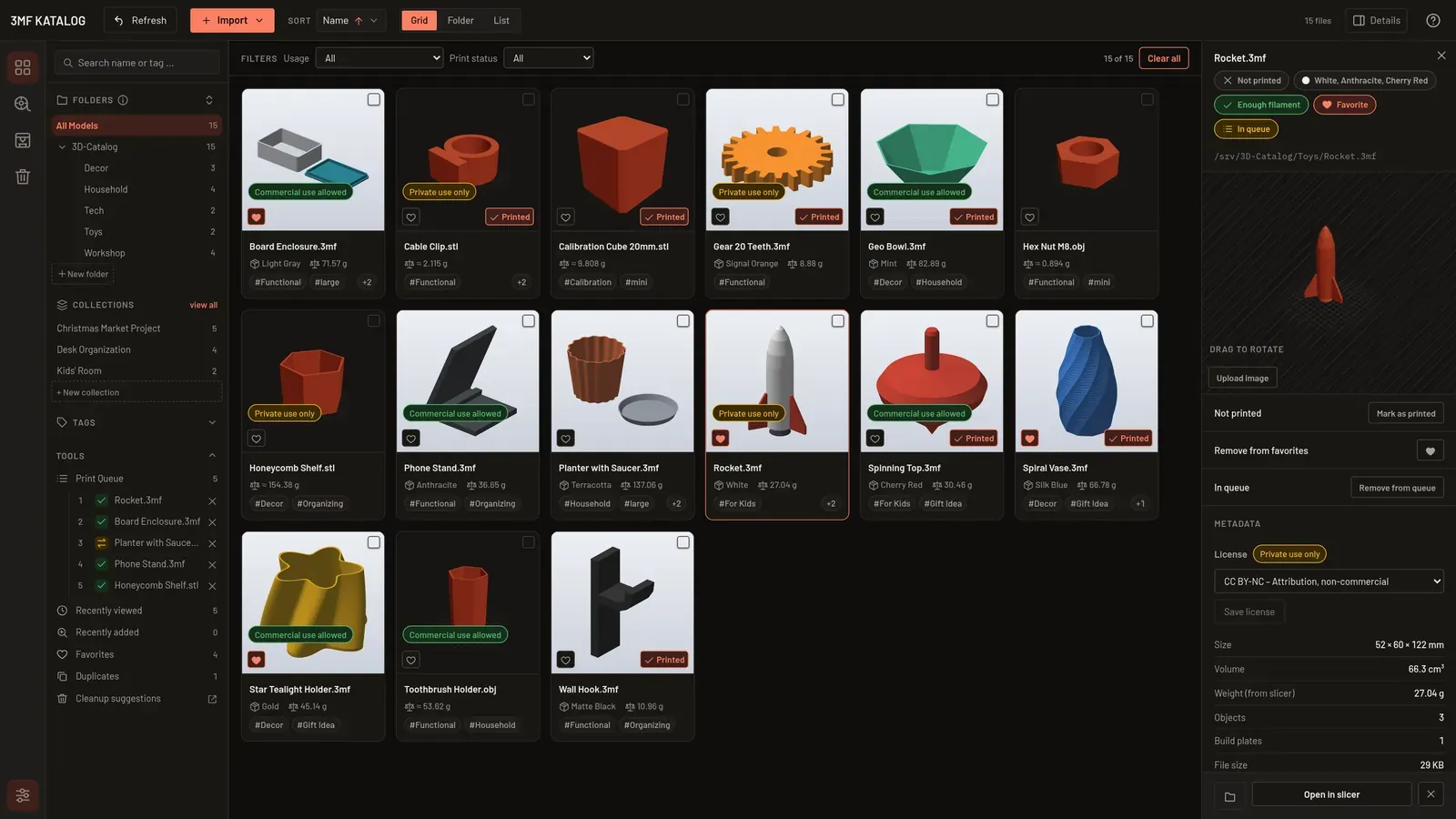
Section titled “Setting a model’s license”Each model can carry a license. In the detail panel and on the detail page, the “License” section has a drop-down. Its choices are:
- “Not set”,
- the Creative Commons presets (CC BY, CC BY-SA, CC BY-NC, CC BY-NC-SA, CC BY-ND, CC BY-NC-ND, CC0),
- “Personal use only”,
- “Commercial use allowed / license purchased”,
- “Own design”,
- “Other…”.
“Other…” opens a free text field “License text” (up to 200 characters). “Save license” stores the choice. On the detail page, a changed, unsaved license counts as an unsaved change and asks before “Next model” discards it.
The usage badge
Section titled “The usage badge”From the license, the app derives a usage badge:
| Badge | Licenses |
|---|---|
| “Commercial use allowed” | CC BY, CC BY-SA, CC BY-ND, CC0, “Commercial use allowed / license purchased” and “Own design” |
| “Private use only” | CC BY-NC, CC BY-NC-SA, CC BY-NC-ND and “Personal use only” |
| “Not specified” | nothing set, or a free text |
The badge appears on grid cards and list rows (not for “Not specified”) and, including “Not specified”, next to the license field.
Filtering by usage
Section titled “Filtering by usage”In the filter bar above the models, the Usage drop-down narrows the catalog: “All”, “Commercial use allowed”, “Private use only” or “Not specified”. It combines with the other filters. More under Filters, sorting and tags.
Setting the license of several models
Section titled “Setting the license of several models”Select the models and use “Set license” in the action bar of the multi-selection (see Context menu and multi-select). It opens the same drop-down and applies the choice to all selected models. Existing tags are not changed.